How to Update Your Membership Level
Want to change your monthly contribution? Here’s how, step by step.
Step 1: Find Your Payment Confirmation Email
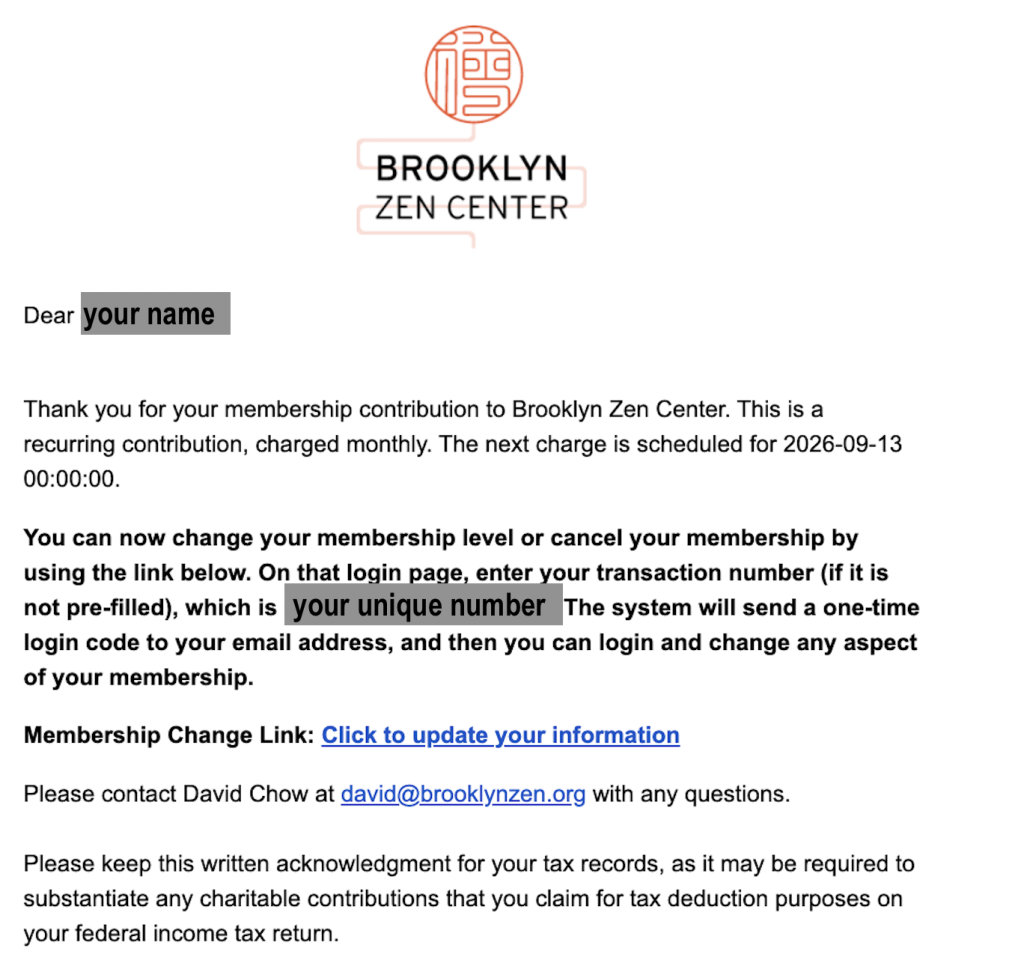
Each month, you receive an email from Brooklyn Zen Center confirming your membership contribution. Look for the subject line: “Thank you for your membership contribution to Brooklyn Zen Center.”
In that email, you’ll see a transaction number and a link that says “Click to update your information.”
SEE SCREENSHOT:
Step 2: Click the Link and Verify
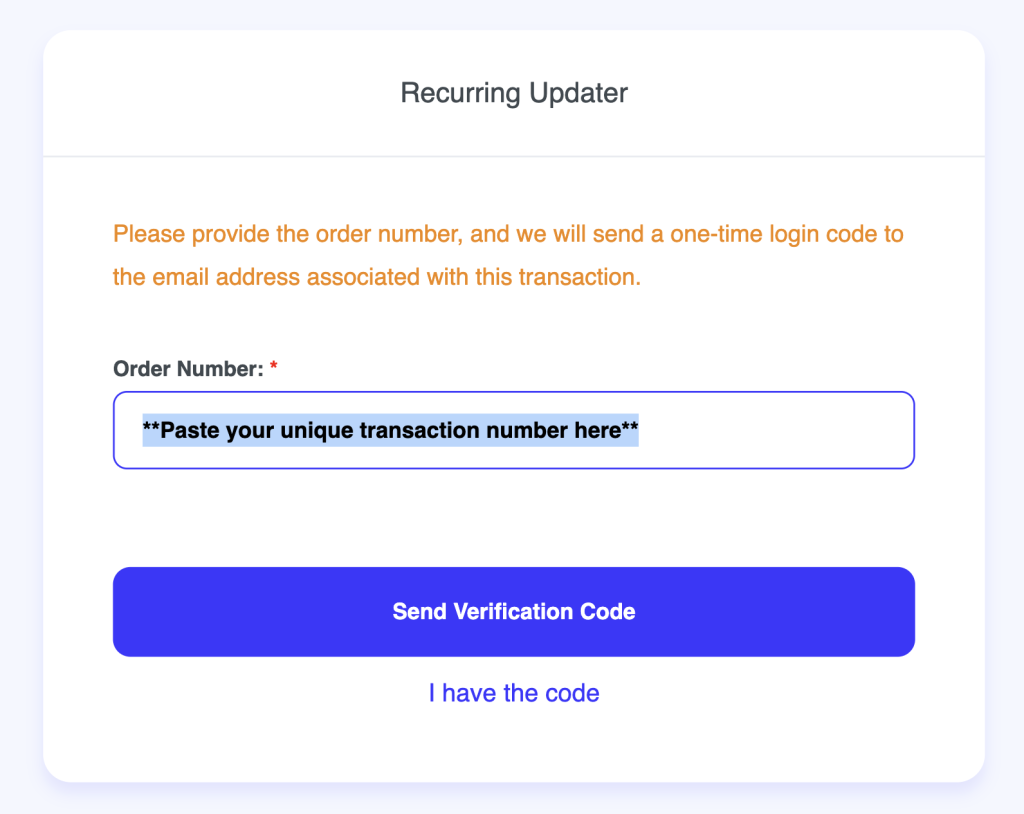
Clicking the link takes you to our “Recurring Updater” page. Enter your order/transaction number (it may already be filled in), then click “Send Verification Code.” A one-time code will be emailed to you — enter it to log in.
SEE SCREEENSHOT:
Step 3: Select Your New Contribution Level
Once logged in, you’ll see a list of monthly contribution options. Select whichever amount reflects your new membership level, and follow the remaining prompts to confirm the change.
SEE SCREENSHOT:
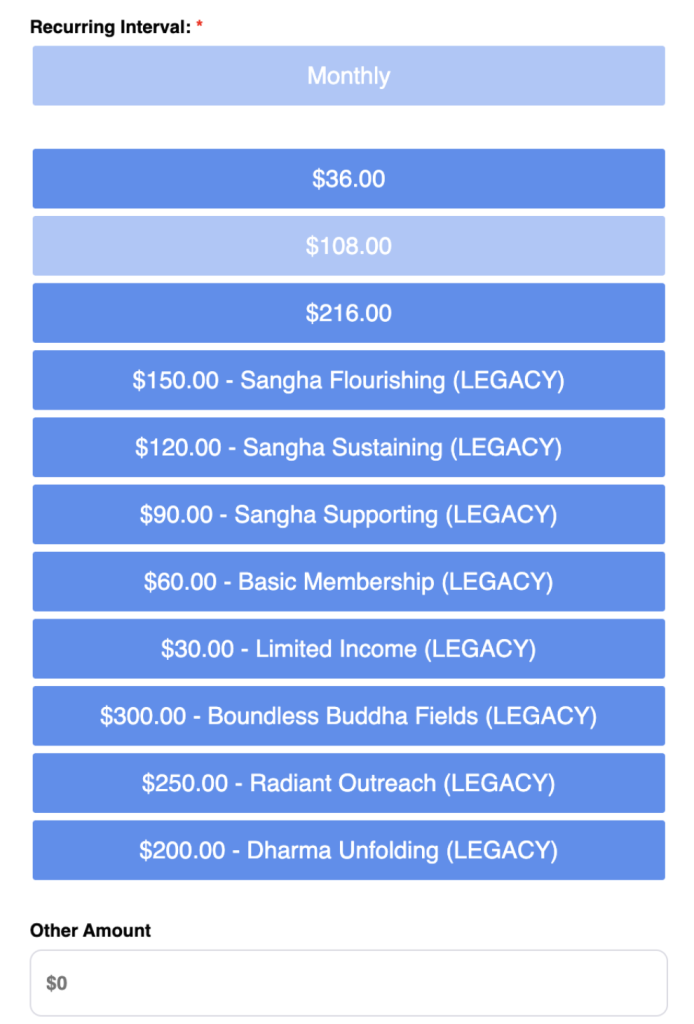
A note on the tier list: Please choose one of the plain dollar amounts ($36, $108, $216) — or enter any amount that works for you under Other Amount. Please avoid the named legacy tiers, like “Sangha Supporting” or “Basic Membership.” Those are being phased out and are only still shown so current members on them aren’t disrupted.
Questions?
If you run into any trouble, email David Chow at david@brooklynzen.org.